About pages are the perfect opportunity to give people a deeper look into you and your business. Why not take the time to make the best of the opportunity. So what should you include on your about page? Today, i’m going to share 9 features you should have on your about page.
Your Story
What’s your company/brand’s story? why do you do what you do? This is an opportunity to tell your brand’s story.How was your company founded? How did you come up with the name ? What is unique about the product or service you offer?. Try to keep the narrative simple, but engaging.
Your Value
What makes your business stand out from your competitors? For some it’s great customer service. For other’s it’s quick and efficient solutions, or budget friendly quality products. Whatever the case may be , make sure you include it on your about page.
About your company
Do you have a mission or vision statement? You can include it as well as overall company info on this page.
Bio(s)
Your about page doesn’t have to be just about you or the company, but it’s a great way to introduce your team mates. Make sure everyone has a quality photo as well as their bio information . You could even include their social media handles.
There are many other features you could include, but these will give you a good foundation to build upon.
Need help creating your homepage or another part of your website? Let’s set up some time to chat.
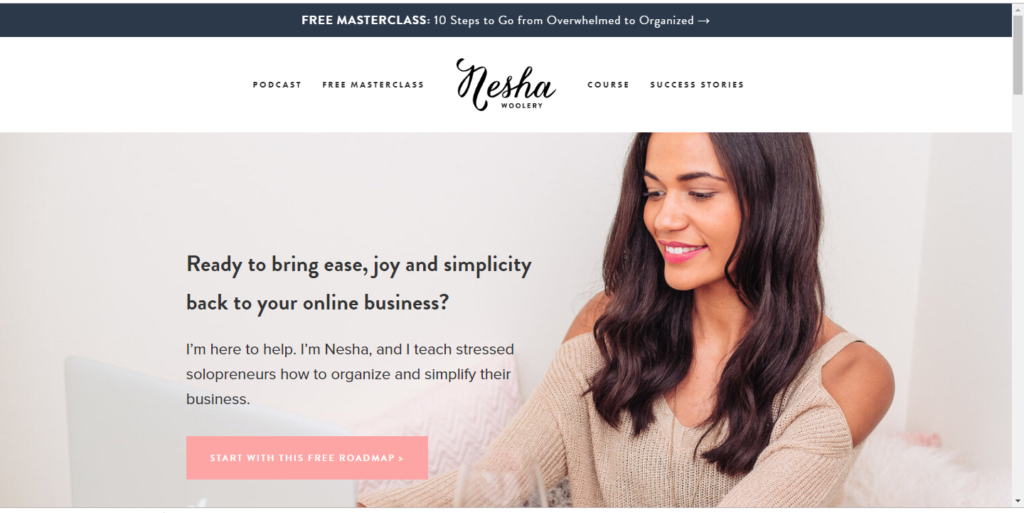
I love her homepage because it’s simple, clean , and without scrolling , you know exactly what she offers. She also has 2 call to actions right away. Looking at her page, you can get a clear sense of what she offers and who she works with.
Example 2 – Entrepreneur Home Page
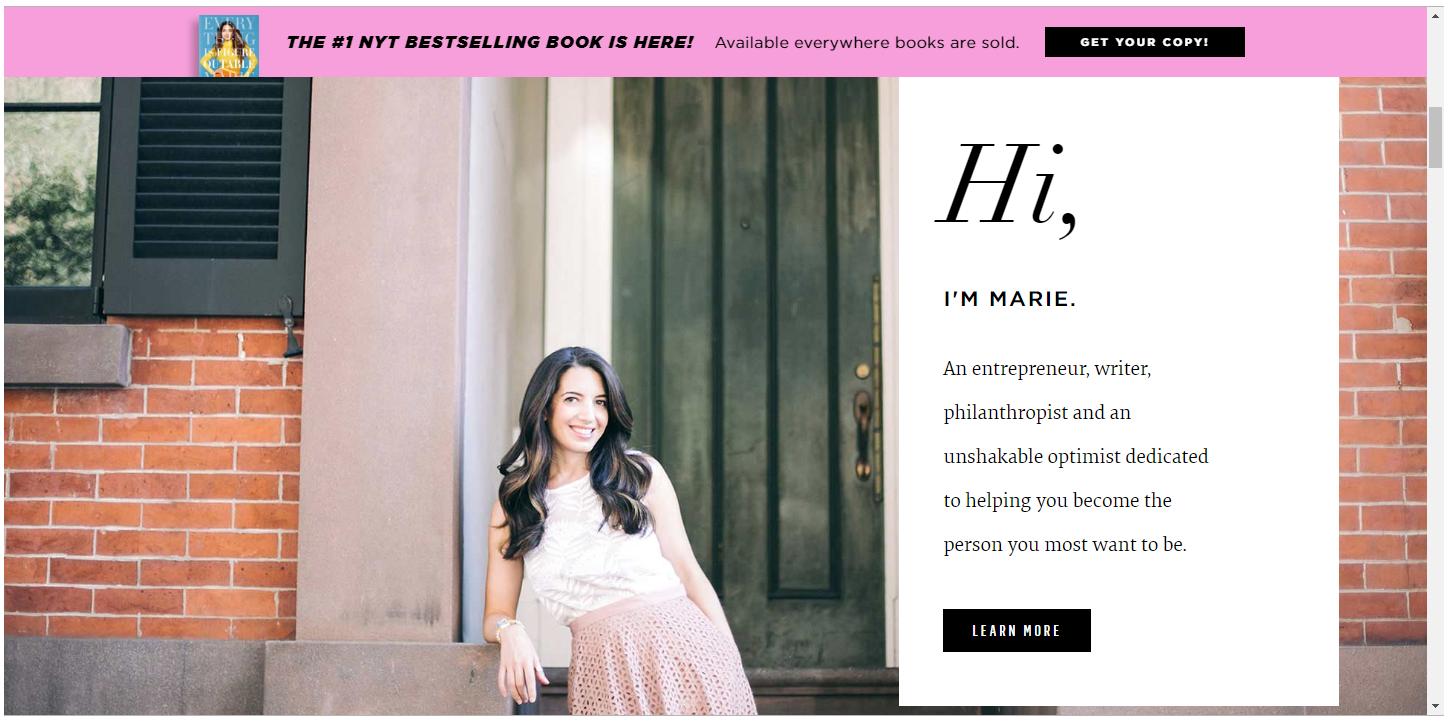
The second example belongs to Marie Forleo. My favorite part of her home page is the about section. It’s clear and straight to the point. She also has a call to action that scrolls with the page and is always visible. ( GET YOUR COPY!)
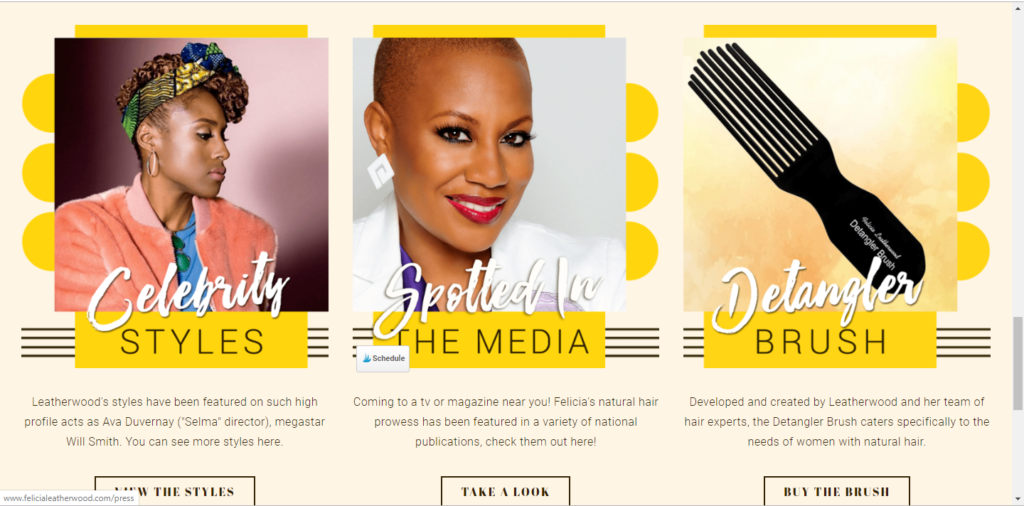
Example 3 – Celebrity Hair Stylist
The third home page example belongs to Celebrity hairstylist Felicia Leatherwood. I love that you can check out her gallery, check out places she’s been featured, or buy her detangler brush…which is a miracle worker!
Conclusion
Designing a homepage doesn’t have to be complicated. So don’t overthink and keep it simple, and concise. I hope that these examples help you get more clarity on how to design your home page.
Need help creating your homepage or another part of your website? Let’s set up some time to chat.
Every time someone takes a business card or finds you on social media, there’ s an opportunity for someone to take a look at your website.
Whenever a new person lands on your website homepage, people are critiquing what they see, forming an opinion of you, and determining if you’re worth getting to know further, and doing business with.
Have you sat and really thought about what you’re going to put on your homepage?
In this article, we’ll share 9 key elements every homepage should have to help make sure that you are prepared when you launch your new site.
Simple Navigation
Navigating your site should be simple and straight to the point.You want your clients/customers to arrive on your website know what to do and know exactly where they can find the information they want and need without being confused.
Simple Summary of what you do (Clear Value Proposition)
You need a clear, concise summary of what you offer. Tell your visitors exactly what you do with a clear, easy-to-find value proposition.I typically place this in the top part of the site. If people don’t have an understanding of what your company does, who it does it for, and how it does it differently, they are not likely to stick around to find out. Here is my CVP:
I help make WordPress Simple
WordPress is amazing, but does it feel that you’re often struggling with it? We provide simple WordPress websites, help, and strategies for solo entrepreneurs and small business owners.
Social media links
You want to give people other places to interact and engage with you outside of your site. You can place your links either at the top of your homepage or in the footer, or maybe even a sidebar.
Call to action( Subscribe, Join, Call , Shop, etc.)
What do you want your customers to do first when they land on your site? Join your email list, schedule a call, or maybe purchase a product. Make it easy for your customers to take action .
Testimonials
Let your clients and customers know that you’re not just patting yourself on the back. Let your testimonials speak. It’s the perfect way to build trust and lets people know they can feel confident in choosing you.
Overview of Services
What do you offer?Write the vision and make it plain. A simple list of services helps paint the picture. If you are a hairstylist or make-up artist, this is a great opportunity to list specific services that you offer.
Contact Info/Form
Give your clients the opportunity to contact you easily if they have questions . I prefer to add a link to the contact page or include a contact form in the footer.
Latest/Most Popular Blog Posts
Your blog is an opportunity to show your expertise and helpfulness and offers people the opportunity to start a relationship with your brand. You could add a your top blogs or simply included a live feed of your most recent posts.
Quality images
If you’re just getting started, you may not have quality pictures of your own. You can find great stock photos on Pixabay or unsplash. Stock photos are great to use temporarily , but at some point you want to invest in high quality images of you and your business. Bad quality pictures can be distracting.
Need Help?
Need help creating your homepage or another part of your website? Let’s set up some time to chat.
2019 is almost over and you’ve decided that you want to launch your website. You have your ideas and concepts swirling in your head, but are you ready to hit the ground running? Building a website takes more than just registering and hosting your domain, and choosing a platform. The main thing you must have is content for your site.
Whether your site is one page or 5 pages, you’re going to need content for each section . Your customers need to know who you are, what you do, and how to contact you . They also would like to know if you’re good at what you do. The process of collecting this content doesn’t have to be difficult. Today my goal is to help you get your content ready for your new site.Listed below are 8 basic questions that you can use to get website content ball rolling.
Question 1: How many pages do you need? You can do a one page site with 5 sections or you can do a basic 5 page site. Most sites have the following basic pages ( Home, About, Contact, Services, Gallery/Testimonials, and a Blog).
Question 2: Do you have your logo and brand colors ready?
Question 3: Who are you?
Question 4 : What do you offer?
Question 5: How can anyone contact you ?
Question 6: Do you have pics, testimonials and Reviews that tell your story ?
Question 7: Will you need to collect email address or will you need a link to any social media accounts?
Question 8: Do you have a tagline/mission statement?
Don’t want to keep coming back to this blog post? Download this list as a worksheet It’s free!
So often in our day to day activities, we are all go and never take the time to stop and evaluate. It’s ok and it’s not to late to stop for a second and take inventory. A big part of my inventory process is to take about an hour or so to go over my numbers . It’s easy to think about how much money you’ve made, but it feels even better to know for a fact where you stand. Today I took some time to look over my reports in Quickbooks.
I haven’t looked at my numbers since June, so I had transactions to review and quite a few transactions that i needed to import, categorize and organize. I can’t lie, I got a little overwhelmed and frustrated. I simply did not want to do it. I wanted to put it off until tomorrow, or better yet , wait until it’s time to submit taxes. Once i got started, I felt better. I got a chance to see all of my income sources, top customers, and get a feel for how much I spent and where it was spent.
The process doesn’t have to be that difficult. If you don’t have an accounting system set up , I would encourage you to use the steps below to get set up quickly in Quickbooks.
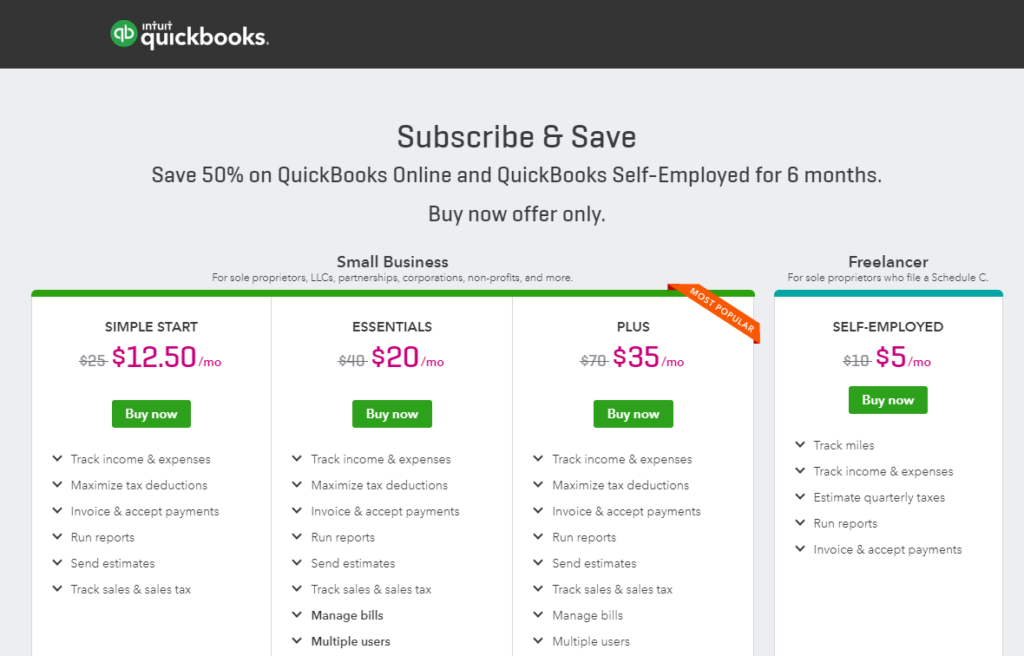
Sign up for a Quickbooks Self-Employed account. If you have employees, please choose the plan that works best for your needs.
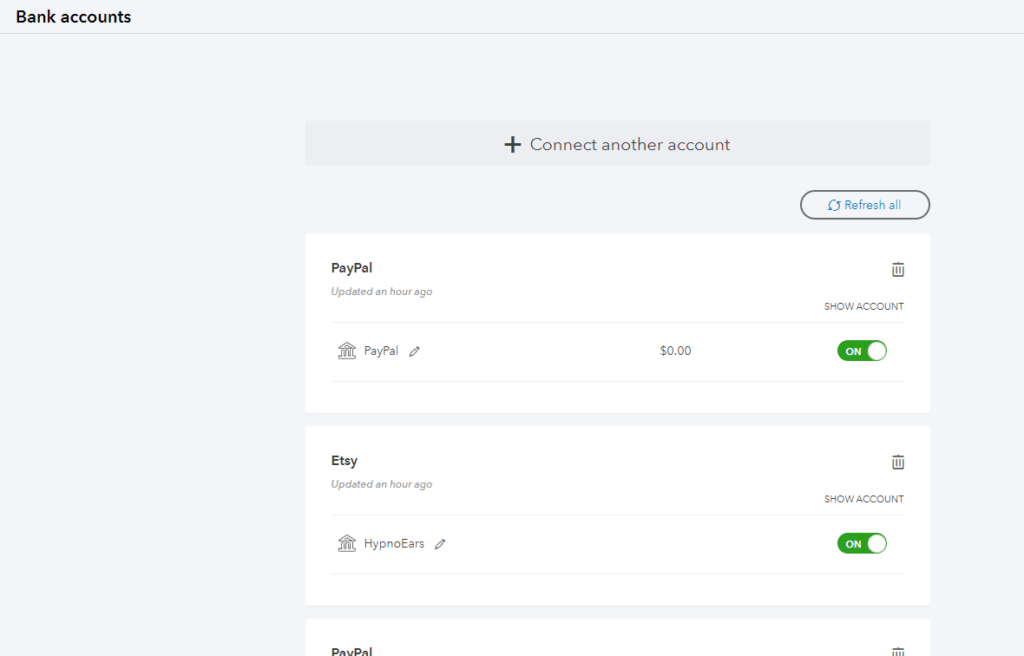
2.) Add your Bank Account(s)
3. Organize your transactions . You can separate your business and personal transactions and also organize them by category.
If you start to get overwhelmed or already feel overwhelmed at the thought of taking on the task of facing the numbers and getting organized, it’s totally normal. Take a breath and take one step at a time. If you need additional direction and support, take a look at the video below that will help you get set up for success.
I hope this helps you find the time and energy to face the numbers. If you need some help, don’t hesitate to contact me.