When you first get started with business, the first thing you’re told is that you should invest in a website. That may be true if you KNOW for a fact that you need a full site.
But what if you don’t know if you need one? What if you need a simple way to get potential customers to focus on one service/product that you offer?
Say hello to the landing page!
What is a Landing Page?
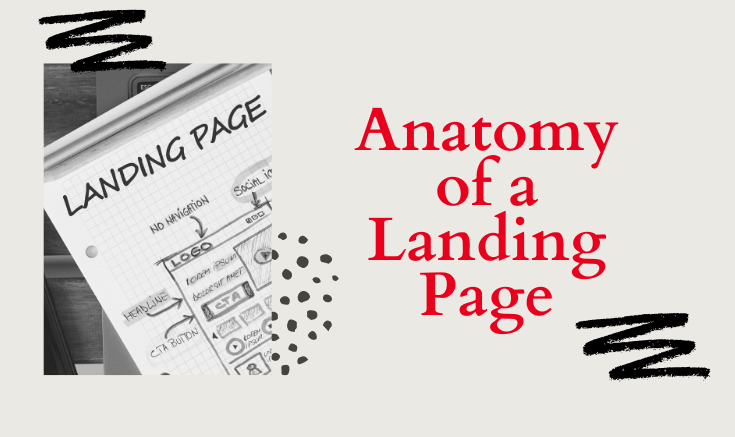
A landing page is a standalone web page, created for a specific purpose. It’s where a visitor “lands” after they click on a link in an email, or ad from Facebook, Twitter, etc.
Unlike web pages, landing pages are designed for single focus or goal, known as a call to action ( CTA).
Landing pages usually have X distinct features:
CTA
Buy
Pre-Order
Book An Appointment
Sign-up
Subscribe
Read More
Learn More
Shop Now
USP – Unique Selling Point
This is where you pitch your offer/service/product. This goal of this section is to tell your customer exactly what you are offering and why they need it.
For example:
“Are you tired of your feet aching after a long day behind the chair? It’s time to stop the pain and get your feet into our shoes. The Sole Ease Styling shoe is your solution. ”
You can also include a list of benefits. The goal is to inform them in a simple way. 3-4 bullet points is plenty.
Social Proof/Testimonials-
If you have offered the service or received reviews, use this section to share. Let the people speak for you. It’s the best form of Word of Mouth delivered via Web. If you have 2-3 , that’s great. If you have 1 , that’s fine as well!
Special Discount
Give your new potential clients/customers some incentive for taking action . You can offer them a percentage off their product/service, or send them a free gift.
Bold Image(s)
This is one the most important part of the Landing page. You want bold images that tells the story and catches attention . A bold pic, a clear CTA and a button goes a long way.
A landing page doesn’t have to be difficult or jam-packed with information . Keep It Simple…..
Need help creating landing page ? Let’s set up some time to chat.
Contact pages are more than an opportunity for your customers to send you a quick message. You can include the various ways to contact you and your brand. Here are 3 features you should include on your contact page.
Contact Form
This section is what you should find on every contact page. A simple form that includes the following:
Name
Email Address
Message
Date
Submit button
The form data should go directly to your email inbox. This is form can be used to fall purpose. It should be the easiest way for anyone that visits your site to get in contact with you.
Multiple Points of Contact
This is a great place to put links to your social media, your business address, or your business phone number. I would include the links to the places you hang out the most. If you have a Facebook group or any messenger account, you should include it on this page.
Important information
Use this page as a way to communicate important information. For example:
Let’s say you have specific business hours. You can list your hours of operation. You can also let people know what to expect after they send you a message.
Here is a sample message:
“Your message has been sent. Expect to hear from me within 24 hours”
or
“Use the form below to contact us. We will get back to you as soon as we can.”
or
“Have questions about your purchase? Please send us an email with the subject “Questions about my order” “
A simple contact form isn’t a bad thing, but make sure you take advantage of any chance you get to inform your clients.
Need help creating your contact page or another part of your website? Let’s set up some time to chat.
I’ve been discussing social media planning and strategy with my clients lately. I thought I’d take a moment to create a tutorial for you on how I bulk create content for Instagram using Tailwind. I use Tailwind to post to my Instagram account as well as my Pinterest account. It’s the perfect tool to use to bulk upload images, plan posts and join tribes/communities of users that have a shared interest. One way to utilize Tailwind is to install the Google Chrome extension and click it when you land on a page that you want to pin or post to Instagram. You have the option of posting immediately or scheduling future posts. Getting set up is easy.
After watching the video below, If you are interested in trying tailwind for yourself, click here to sign up with Tailwind and try it out for free. If you have questions, do not hesitate to contact me.
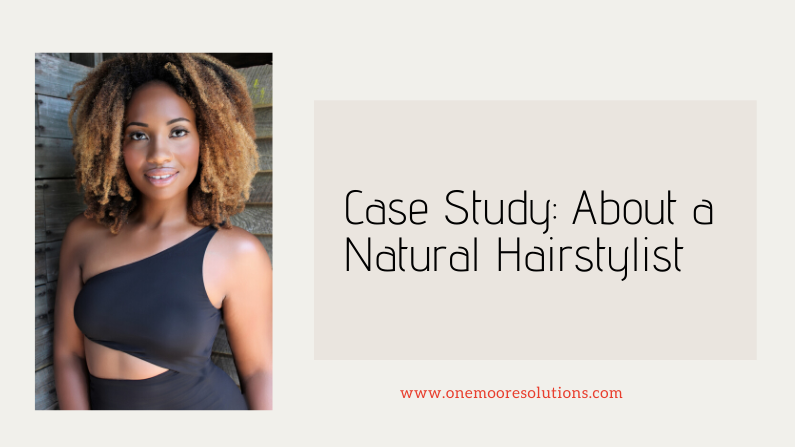
Last week we created a new home page for Janelle, our favorite natural hair stylist. Today we are going to create her About page.
We included a summarized about section on the home page, so we can use this page to write a longer detailed bio. Janelle has been featured in a few magazines and blogs, so we are going to use this page to show off a little. We also need to have links to her social media.
Ok so let’s take inventory of what we can use on this page:
Longer detailed bio
Great image
Featured in section
Social Media
That’s all we need to create a simple about page. As her business grows, she can add videos, podcasts, and more of her story. If she decides to hire a team, she can include salon info, a mission statement, and bio information for her team.
If you are on the fence or frazzled about where to start, I completely understand. Use this free worksheet that will help you pull the pieces together.
We’ve discussed About Pages and the features every About page should have, so I thought it would be a great idea to give you some examples .
Example 1- Motivational Speaker
The first example that I love belongs to Les Brown
I love his about page because he has a great header that shows him in action and a motivational quote. He also has a well written bio and a very clear, quality image of himself.
Example #2 – Life Coach
The second about page that I like belongs to Tony Gaskins
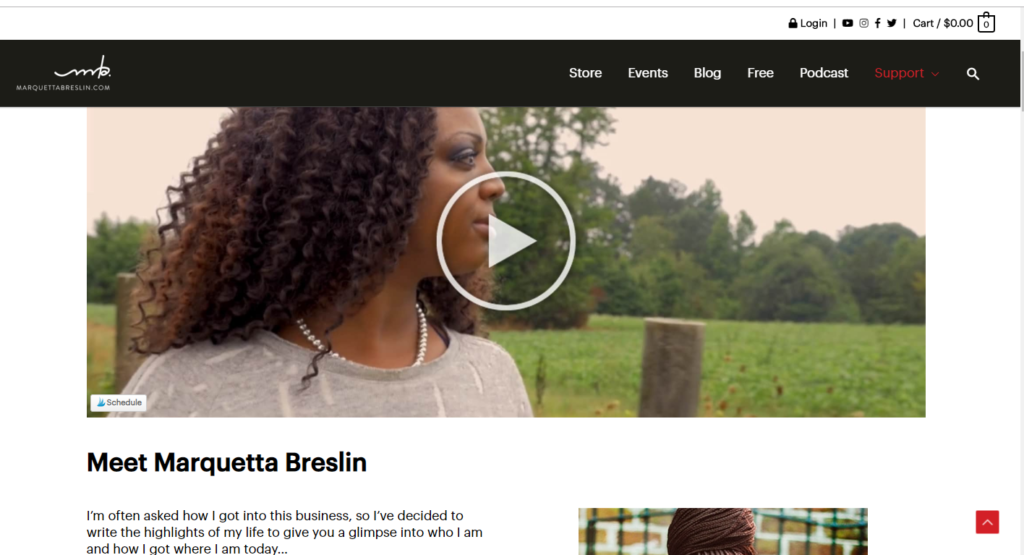
Tony’s About page starts with a video followed by a bio and very clear picture. Take a look at the video he has embedded in his page.
Designing an About page doesn’t have to be complicated. So don’t overthink and keep it simple, and concise. I hope that these examples help you get more clarity on how to design your about page.
Need help creating your about page or another part of your website? Let’s set up some time to chat.